
Insights
Aug 25, 2026
Deploying an AI chatbot for business: a practical playbook
Deploying an AI chatbot for business: a practical playbook
Discover how to effectively deploy an AI chatbot for business by targeting specific use cases to maximize success and drive measurable results.
Discover how to effectively deploy an AI chatbot for business by targeting specific use cases to maximize success and drive measurable results.
Deploying an AI chatbot for business: a practical playbook
An AI chatbot for business earns its cost when it’s agent-capable and deployed against one clear pilot use case, not a vague “improve customer service” mandate. Pick a single workflow (ticket deflection, lead qualification, or booking) and a hard number to hit within 30 days. With 91% of customer service leaders under pressure to implement AI in 2026, the businesses that win are the ones that measure before they scale, and providers like Sunstatedigital exist precisely to run that pilot properly.
TL;DR:
Selecting a single, measurable use case like ticket deflection or lead qualification is crucial for demonstrating AI value within 30 days.
A successful deployment requires narrow scope, updated knowledge bases, defined escalation paths, and multi-channel integration with real-time data sync.
Performance metrics such as deflection rate, conversion rate, and resolution time are essential to justify ongoing investment and measure success.
Costs are influenced by the number of channels, system actions, conversation volume, and customization, with tiered SaaS plans offering predictable monthly fees.
Piloting with clear KPIs and gradual channel expansion minimizes risk and optimizes resource allocation for small businesses.
Table of Contents
What modern AI chatbots and AI agents actually do
Key features and integration checklist small teams must verify
Business use cases: support, sales, and operations
Pricing shapes and realistic ROI timelines for small businesses
Practical implementation plan: pilot, measure, scale
Evidence and expert signals: industry findings that matter
How Sun State Digital helps: real-world setup and results
When to build in-house vs hire a provider
How Sun State Digital can help
Sources
What modern AI chatbots and AI agents actually do
A reactive chatbot answers questions. An AI agent does the job. That distinction sounds academic until you watch the two in action side by side.
A reactive chatbot sits on your website waiting for a question, matches it against a knowledge base, and returns an answer. It’s a smarter FAQ page, useful for cutting down repetitive enquiries but limited to conversation. If a customer asks it to reschedule a booking, the best it can usually do is point them to a form or a phone number.
An agent goes further. Salesforce describes its Agentforce platform as proactive software that executes tasks across systems and operates continuously, not just during business hours. That means the same customer asking to reschedule can actually have their booking moved, their calendar updated, and a confirmation email sent, without a human touching the process. The bot isn’t just talking. It’s acting inside your CRM, your booking system, or your inventory database.
For a small business, this shift matters more than the marketing language around it suggests. A chatbot that can only chat still leaves your team doing the actual work after the conversation ends. An agent that can update records, trigger workflows, and hand off cleanly when it hits a wall removes that second step entirely.
Common outcomes teams see from a well-scoped deployment include:
Fewer repetitive tickets reaching human agents, because the bot resolves password resets, order status checks, and basic policy questions on its own
More leads captured outside business hours, since the agent qualifies interest and books a callback while your team sleeps
Appointments and bookings confirmed without a phone call, freeing reception staff for higher-value conversations
Faster internal document lookups, where staff ask the agent instead of digging through shared drives
None of that happens automatically, and the failure modes are consistent enough to name. The most common one is scope creep: a business asks its bot to handle everything from billing disputes to product recommendations on day one, and it handles all of it poorly. The second is a stale knowledge base. An agent connected to pricing information from six months ago will confidently quote the wrong number, and it will do so politely and convincingly, which is worse than an obvious error.
The third failure mode is the missing handoff. Every deployment needs a clear moment where the bot recognises it’s out of its depth and hands the conversation to a person, with full context carried over. Without that, customers get stuck in loops repeating themselves to a bot that can’t help and won’t let go. Guard against these three by scoping narrow, refreshing content regularly, and building the escalation path before launch, not after a customer complains about it.
Key features and integration checklist small teams must verify
Before you sign anything, run the platform through a short list of non-negotiables. Vendors are good at demonstrations. They’re less consistent about what happens once the demo ends and your actual customer data starts flowing through the system.
Core capabilities to demand:
Knowledge base retrieval that cites its source. The bot should pull answers from your actual product pages, policies, and pricing sheets, and you should be able to see which document it used for each answer.
Multi-channel deployment. Website chat, SMS, and a messaging channel like WhatsApp or Facebook Messenger should run from one backend, not three separate tools you have to manage individually.
Action hooks, not just answers. Confirm the bot can trigger a real action (book a slot, update a CRM field, issue a refund within a limit you set) rather than only describing what the customer should do next.
A defined handoff path. There needs to be a rule for when the bot stops and a human takes over, with the full conversation history attached.
Reporting that ties to business outcomes. Conversation volume is a vanity metric. Deflection rate, conversion rate, and resolution time are the numbers that justify the spend.
Integrations are where most small business deployments quietly fail, usually because nobody checked compatibility before signing a contract. Your CRM needs a genuine two-way sync, not a one-off data export. Calendar and booking tools need real-time availability, or you’ll end up with double bookings that erode trust faster than any bad chatbot answer. If you sell online, the bot needs to read order status and stock levels directly, and your analytics platform needs to receive event data from every conversation so you can actually measure what’s working.
Security deserves the same scrutiny. Ask who owns the conversation data, whether it’s encrypted in transit and at rest, and whether admin actions are logged for audit. ChatGPT Business advertises admin controls including single sign on and encryption, and states customer data isn’t used to train its underlying models. That’s a reasonable baseline to expect from any serious provider, but it’s a vendor claim, and vendor claims deserve a follow up question, not blind acceptance.

Pro Tip: Ask every provider to show you their admin panel before you sign anything. If they can’t demonstrate exactly where conversation logs live and who can access them, treat that as a red flag rather than an oversight.
A well-built website that can support a chat widget without slowing page load times or breaking on mobile also matters more than most buyers expect. Poor website design and development can undo a technically sound chatbot before it ever gets a chance to help a customer.
Business use cases: support, sales, and operations
The value of a business chatbot solution changes depending on which team is using it, and the metrics that matter shift with it.
In customer support, the goal is deflection without damaging satisfaction. A well-scoped AI customer support chatbot should handle order status, returns policy, and account questions without a human, while routing anything emotionally charged or financially complex straight to a person. Vendor case studies from platforms like Sobot report automated resolution rates consistent with tier one triage use cases, though those figures come from the vendor itself and are worth validating against your own pilot data before you plan headcount around them. for exactly this kind of tier one triage, though those figures come from the vendor itself and are worth validating against your own pilot data before you plan headcount around them.
In sales, the chatbot’s job is qualification, not closing. A visitor lands on your pricing page at 9pm, and instead of leaving a form that gets checked the next morning, the bot asks three or four questions, scores the lead, and books a callback slot directly into your team’s calendar. That’s the difference between a lead sitting in an inbox and a lead already on tomorrow’s schedule.
In operations, the wins are quieter but add up. Staff stop hunting through shared drives for the current returns policy or the latest pricing sheet, because they can ask an internal agent instead. Simple fulfilment tasks, like checking whether an item is in stock at a specific location, get answered instantly rather than via a Slack message to whoever’s free.
A narrow deployment with a clear KPI, say 20% ticket deflection within the first month, tells you far more about real fit than a broad rollout with vague goals ever will.
Where the numbers get interesting:
Support teams that deploy a scoped chatbot typically see the biggest early win in after-hours coverage, not daytime volume, because that’s when human staff simply aren’t available
Sales qualification flows perform best when they ask fewer, sharper questions rather than replicating a long contact form inside a chat window
Operations use cases often deliver the fastest visible payback, since internal staff adopt a working tool almost immediately, with no customer trust to build first
The common thread across all three is measurement discipline. A chatbot that “feels” helpful but has no attached KPI is a cost centre wearing a productivity costume. Decide the number before you launch, not after.
Pricing shapes and realistic ROI timelines for small businesses
Chatbot pricing comes in three broad shapes, and understanding which one you’re being sold changes how you budget.
Per-seat pricing charges for each staff member with access to the admin console or agent-building tools, common with enterprise platforms like Microsoft’s Copilot suite, which leans on tight integration with Microsoft 365 and per-user licensing. Per-conversation pricing charges based on volume, which suits businesses with unpredictable or seasonal enquiry spikes but can become expensive fast if a marketing campaign drives a surge you didn’t budget for. Tiered SaaS pricing bundles a set number of conversations, channels, and integrations into a flat monthly fee, stepping up as you add features, which is the most predictable shape for a small team trying to forecast cash flow.
For a small business running a single channel with modest volume, expect the entry tier of most credible platforms to sit in the low hundreds of dollars per month. Costs climb once you add multiple channels, custom integrations beyond the basics, or agent-level action capabilities rather than simple chat. The steepest jump usually comes from moving from “answers questions” to “takes actions in other systems,” because that requires deeper integration work, not just a bigger subscription.
What actually drives the bill up or down:
Number of channels connected (website only versus website, SMS, and WhatsApp combined)
Whether the bot only answers or also writes to your CRM, calendar, or inventory system
Conversation volume, particularly for usage-based pricing tiers
Custom integration work required for older or niche business software
A simple way to estimate payback: take your current cost to resolve one support ticket manually (staff time plus overhead), multiply it by the number of tickets you expect the bot to deflect monthly, and compare that saving against the subscription fee. Do the same exercise for leads, if a bot converts even a handful of after-hours visitors into booked calls each week that would otherwise have been lost, that revenue usually dwarfs the monthly cost within the first quarter. The maths only works, though, if you’ve actually scoped a use case narrow enough to measure. Vague deployments produce vague ROI, every time.
Practical implementation plan: pilot, measure, scale
Skipping straight to a full rollout is the single most common way small businesses waste money on chatbot implementation. A disciplined pilot, run in stages, tells you what works before you commit budget to the whole business.
Pick one pilot use case and one number. Ticket deflection of 20% or higher, or 10 qualified leads per week, works well as a starting KPI because both are easy to measure and hard to fake.
Build the pre deployment checklist. Confirm your knowledge base is current, permissions are set so the bot can’t overreach, an escalation rule is defined, and analytics tracking is live before day one.
Run the pilot for four to six weeks. Shorter than that and you won’t have enough conversation volume to trust the data. Longer, and you delay a decision you could have made earlier.
Review weekly, not just at the end. Check deflection rate, conversation completion rate, and any escalation patterns every week so you can adjust prompts or knowledge base gaps mid-pilot rather than waiting for a post-mortem.
Set a go or no-go point in advance. Decide before the pilot starts what result means “scale this” and what result means “fix this first.” Deciding after the fact almost always leads to sunk-cost thinking.
Pro Tip: Write your go/no-go threshold down and share it with your team before the pilot launches. It stops “it’s going okay” from becoming the permanent verdict on a tool that’s actually underperforming.
The pre-deployment checklist deserves more attention than most guides give it. A knowledge base that’s six months stale will produce wrong answers with total confidence, which damages trust faster than the bot simply saying “I don’t know.” Permissions matter just as much: an agent with write access to your CRM should have limits on what it can change without a human checking first, particularly around pricing, refunds, and account cancellations.
CRM connectivity is usually the first integration to test properly, since it’s where lead and customer data actually lives. A platform like Sun State Digital’s CRM and automation service is built around exactly this kind of connected workflow, where the chatbot isn’t a standalone tool but one piece of a system that already talks to your customer records. For teams running the pilot themselves, a practical playbook on piloting agentic solutions in operations is worth reading before you set your own KPIs, since the pilot-to-scale sequence it describes maps closely to what actually works in practice.
Once the pilot clears its threshold, scale by channel and use case, not all at once. Add the second channel, then the second use case, checking the numbers hold at each step. A chatbot that performs at 20% deflection on one channel with 500 monthly conversations may behave differently at 5,000 conversations across three channels, and you want to catch that shift early.
Evidence and expert signals: industry findings that matter
The pressure to adopt AI in customer service isn’t a marketing narrative, it’s showing up in the numbers leaders themselves report. Gartner’s research found that 91% of customer service leaders feel under pressure to implement AI in 2026, a figure that tells you something important: the pressure to adopt is now nearly universal, which means the businesses standing still aren’t avoiding risk, they’re falling behind competitors who are already running pilots.
That level of pressure is exactly why a narrow, measurable pilot matters more than an ambitious full rollout. When almost every leader in your category feels the same urgency, the ones who win aren’t the ones who move fastest, they’re the ones who measure carefully enough to scale the right thing.
Vendor claims about data handling deserve a healthy scepticism, not because vendors are dishonest, but because “we don’t use your data for training” is a specific contractual commitment that varies by provider and plan tier. ChatGPT Business states that customer conversations aren’t used to train its models and that admin controls including single sign-on and encryption are standard for business accounts. That’s a reasonable claim to expect from a serious platform, but it belongs in your contract, not just your sales call.
The clearest signal across the platforms reviewed for this guide is the shift toward agentic capability as the real differentiator. Google’s Gemini Enterprise pushes no-code agent builders and secure connectors that let non-technical teams build agents without heavy engineering support, a sign that the barrier to entry for genuinely useful automation is dropping fast. Platforms built for operations, like Nerova, describe agents that “do the job” rather than simply answering questions, working across tools while keeping context intact through a multi-step task. That’s the practical distinction that should guide your buying decision: a chat-only bot answers, an agent finishes.
How Sun State Digital helps: real-world setup and results
Sunstatedigital treats an AI chatbot deployment the same way it treats every marketing system it builds: strategy before spending. That means auditing what a business actually needs before recommending a platform, rather than selling the same package to every client regardless of fit.
The clearest proof point is the Ray White Aspley case study, where Sunstatedigital’s integrated approach to lead generation and automation delivered a significant cut in lead costs for the real estate agency. The result came from connecting the systems that mattered (CRM, lead capture, and follow-up automation) rather than bolting on a single disconnected tool and hoping it improved performance in isolation.
That same process applies to AI chatbot and agent projects. Sunstatedigital starts with a discovery conversation to understand where a business is actually losing time or leads, whether that’s after-hours enquiries going unanswered, staff spending hours on repetitive questions, or a sales pipeline leaking prospects who never get a timely follow-up. From there, the build focuses on integration first, connecting the chatbot to the CRM, booking system, and knowledge base that already run the business, so the agent isn’t a standalone experiment sitting apart from daily operations.
What that process typically looks like in practice:
A discovery audit that maps current response times, common enquiry types, and where leads currently drop off
A pilot scoped to one clear use case, with a measurable target agreed before launch
Integration with existing CRM and booking systems rather than a bolt-on tool that duplicates data entry
Weekly measurement against the agreed KPI, with adjustments made to knowledge base content and escalation rules as real conversations reveal gaps
Sunstatedigital’s broader perspective on where this technology is heading is set out in its case study on the future of AI for local business, which frames automation as one part of a wider system rather than a standalone gimmick. For a small business owner comparing providers, that systems first approach, strategy, then integration, then measurement, is the difference between a chatbot that quietly improves the business and one that becomes another subscription nobody quite trusts.
When to build in-house vs hire a provider
Building an AI chatbot in-house makes sense when you already have engineering capacity, a genuinely unusual workflow no off-the-shelf platform handles well, and the patience to run a six-month build before seeing results. For most small businesses, none of those three conditions hold.
The honest trade-off is time and risk against control. A managed provider gets you from decision to working pilot in weeks, because they’ve solved the integration problems (CRM sync, escalation logic, knowledge base structuring) dozens of times already. Building in-house means solving each of those problems for the first time, on your own budget, with your own customer relationships as the test case if something breaks.
Before choosing either path, ask three questions: Does anyone on the team have the spare capacity to own this build for months, not weeks? Is the use case genuinely unusual, or is it the same support and sales workflow every business in your category needs? And can you afford a slow, expensive first attempt if the in-house build doesn’t work?
If the honest answer to any of those questions gives you pause, a managed implementation is very likely the lower-risk route, and usually the faster one to a result you can actually measure.
— Joshua
How Sun State Digital can help
Sunstatedigital is the practical alternative to spending months building a chatbot in-house or gambling on a self-serve platform with no one to call when the integration breaks. You get strategy first, meaning a discovery audit that identifies exactly which use case will move the needle, before a single line of setup happens, so you’re not paying for a broad platform when a narrow, well-integrated pilot would do the job faster and cheaper.
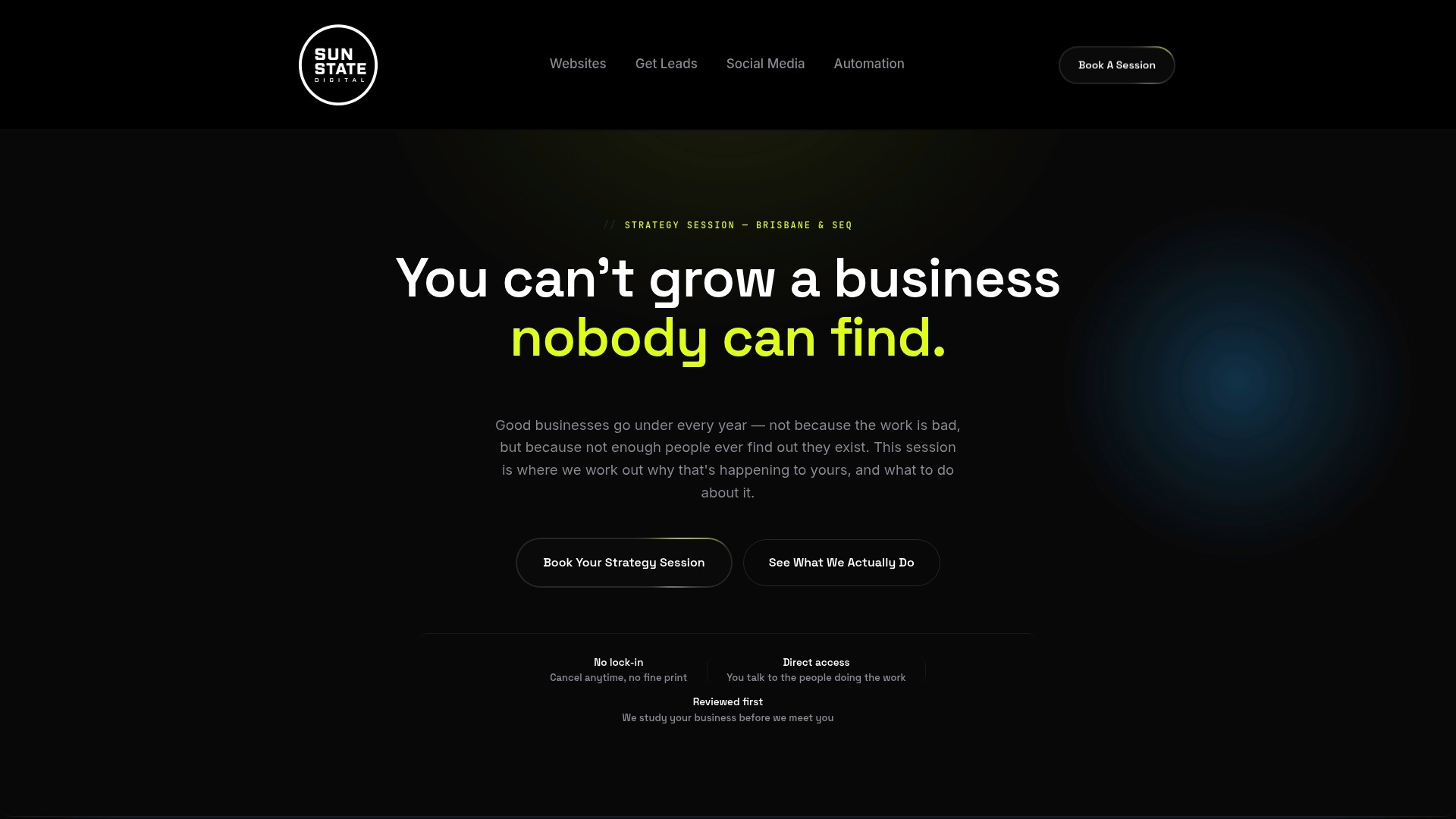
Engagements typically start with a discovery conversation mapping where enquiries and leads are currently falling through the cracks, followed by a scoped pilot connected directly to your CRM and booking systems rather than a disconnected widget bolted onto your website. Early outcomes get measured against the KPI agreed before launch, the same discipline that helped cut lead costs for Ray White Aspley through a connected, strategy led system rather than a single isolated tool.
If you’re weighing up an AI system built for your business against a slow in-house build or an unmanaged subscription, book a discovery call with Sunstatedigital and get a clear picture of what a scoped pilot would actually look like for your team.
Sources
Recommended
Stay Inspired
Get fresh design insights, articles, and resources delivered straight to your inbox.
Latest Blogs



Stay Inspired
Get fresh design insights, articles, and resources delivered straight to your inbox.
Insights
Aug 25, 2026
Deploying an AI chatbot for business: a practical playbook
Deploying an AI chatbot for business: a practical playbook
Discover how to effectively deploy an AI chatbot for business by targeting specific use cases to maximize success and drive measurable results.
Discover how to effectively deploy an AI chatbot for business by targeting specific use cases to maximize success and drive measurable results.
Deploying an AI chatbot for business: a practical playbook
An AI chatbot for business earns its cost when it’s agent-capable and deployed against one clear pilot use case, not a vague “improve customer service” mandate. Pick a single workflow (ticket deflection, lead qualification, or booking) and a hard number to hit within 30 days. With 91% of customer service leaders under pressure to implement AI in 2026, the businesses that win are the ones that measure before they scale, and providers like Sunstatedigital exist precisely to run that pilot properly.
TL;DR:
Selecting a single, measurable use case like ticket deflection or lead qualification is crucial for demonstrating AI value within 30 days.
A successful deployment requires narrow scope, updated knowledge bases, defined escalation paths, and multi-channel integration with real-time data sync.
Performance metrics such as deflection rate, conversion rate, and resolution time are essential to justify ongoing investment and measure success.
Costs are influenced by the number of channels, system actions, conversation volume, and customization, with tiered SaaS plans offering predictable monthly fees.
Piloting with clear KPIs and gradual channel expansion minimizes risk and optimizes resource allocation for small businesses.
Table of Contents
What modern AI chatbots and AI agents actually do
Key features and integration checklist small teams must verify
Business use cases: support, sales, and operations
Pricing shapes and realistic ROI timelines for small businesses
Practical implementation plan: pilot, measure, scale
Evidence and expert signals: industry findings that matter
How Sun State Digital helps: real-world setup and results
When to build in-house vs hire a provider
How Sun State Digital can help
Sources
What modern AI chatbots and AI agents actually do
A reactive chatbot answers questions. An AI agent does the job. That distinction sounds academic until you watch the two in action side by side.
A reactive chatbot sits on your website waiting for a question, matches it against a knowledge base, and returns an answer. It’s a smarter FAQ page, useful for cutting down repetitive enquiries but limited to conversation. If a customer asks it to reschedule a booking, the best it can usually do is point them to a form or a phone number.
An agent goes further. Salesforce describes its Agentforce platform as proactive software that executes tasks across systems and operates continuously, not just during business hours. That means the same customer asking to reschedule can actually have their booking moved, their calendar updated, and a confirmation email sent, without a human touching the process. The bot isn’t just talking. It’s acting inside your CRM, your booking system, or your inventory database.
For a small business, this shift matters more than the marketing language around it suggests. A chatbot that can only chat still leaves your team doing the actual work after the conversation ends. An agent that can update records, trigger workflows, and hand off cleanly when it hits a wall removes that second step entirely.
Common outcomes teams see from a well-scoped deployment include:
Fewer repetitive tickets reaching human agents, because the bot resolves password resets, order status checks, and basic policy questions on its own
More leads captured outside business hours, since the agent qualifies interest and books a callback while your team sleeps
Appointments and bookings confirmed without a phone call, freeing reception staff for higher-value conversations
Faster internal document lookups, where staff ask the agent instead of digging through shared drives
None of that happens automatically, and the failure modes are consistent enough to name. The most common one is scope creep: a business asks its bot to handle everything from billing disputes to product recommendations on day one, and it handles all of it poorly. The second is a stale knowledge base. An agent connected to pricing information from six months ago will confidently quote the wrong number, and it will do so politely and convincingly, which is worse than an obvious error.
The third failure mode is the missing handoff. Every deployment needs a clear moment where the bot recognises it’s out of its depth and hands the conversation to a person, with full context carried over. Without that, customers get stuck in loops repeating themselves to a bot that can’t help and won’t let go. Guard against these three by scoping narrow, refreshing content regularly, and building the escalation path before launch, not after a customer complains about it.
Key features and integration checklist small teams must verify
Before you sign anything, run the platform through a short list of non-negotiables. Vendors are good at demonstrations. They’re less consistent about what happens once the demo ends and your actual customer data starts flowing through the system.
Core capabilities to demand:
Knowledge base retrieval that cites its source. The bot should pull answers from your actual product pages, policies, and pricing sheets, and you should be able to see which document it used for each answer.
Multi-channel deployment. Website chat, SMS, and a messaging channel like WhatsApp or Facebook Messenger should run from one backend, not three separate tools you have to manage individually.
Action hooks, not just answers. Confirm the bot can trigger a real action (book a slot, update a CRM field, issue a refund within a limit you set) rather than only describing what the customer should do next.
A defined handoff path. There needs to be a rule for when the bot stops and a human takes over, with the full conversation history attached.
Reporting that ties to business outcomes. Conversation volume is a vanity metric. Deflection rate, conversion rate, and resolution time are the numbers that justify the spend.
Integrations are where most small business deployments quietly fail, usually because nobody checked compatibility before signing a contract. Your CRM needs a genuine two-way sync, not a one-off data export. Calendar and booking tools need real-time availability, or you’ll end up with double bookings that erode trust faster than any bad chatbot answer. If you sell online, the bot needs to read order status and stock levels directly, and your analytics platform needs to receive event data from every conversation so you can actually measure what’s working.
Security deserves the same scrutiny. Ask who owns the conversation data, whether it’s encrypted in transit and at rest, and whether admin actions are logged for audit. ChatGPT Business advertises admin controls including single sign on and encryption, and states customer data isn’t used to train its underlying models. That’s a reasonable baseline to expect from any serious provider, but it’s a vendor claim, and vendor claims deserve a follow up question, not blind acceptance.
Pro Tip: Ask every provider to show you their admin panel before you sign anything. If they can’t demonstrate exactly where conversation logs live and who can access them, treat that as a red flag rather than an oversight.
A well-built website that can support a chat widget without slowing page load times or breaking on mobile also matters more than most buyers expect. Poor website design and development can undo a technically sound chatbot before it ever gets a chance to help a customer.
Business use cases: support, sales, and operations
The value of a business chatbot solution changes depending on which team is using it, and the metrics that matter shift with it.
In customer support, the goal is deflection without damaging satisfaction. A well-scoped AI customer support chatbot should handle order status, returns policy, and account questions without a human, while routing anything emotionally charged or financially complex straight to a person. Vendor case studies from platforms like Sobot report automated resolution rates consistent with tier one triage use cases, though those figures come from the vendor itself and are worth validating against your own pilot data before you plan headcount around them. for exactly this kind of tier one triage, though those figures come from the vendor itself and are worth validating against your own pilot data before you plan headcount around them.
In sales, the chatbot’s job is qualification, not closing. A visitor lands on your pricing page at 9pm, and instead of leaving a form that gets checked the next morning, the bot asks three or four questions, scores the lead, and books a callback slot directly into your team’s calendar. That’s the difference between a lead sitting in an inbox and a lead already on tomorrow’s schedule.
In operations, the wins are quieter but add up. Staff stop hunting through shared drives for the current returns policy or the latest pricing sheet, because they can ask an internal agent instead. Simple fulfilment tasks, like checking whether an item is in stock at a specific location, get answered instantly rather than via a Slack message to whoever’s free.
A narrow deployment with a clear KPI, say 20% ticket deflection within the first month, tells you far more about real fit than a broad rollout with vague goals ever will.
Where the numbers get interesting:
Support teams that deploy a scoped chatbot typically see the biggest early win in after-hours coverage, not daytime volume, because that’s when human staff simply aren’t available
Sales qualification flows perform best when they ask fewer, sharper questions rather than replicating a long contact form inside a chat window
Operations use cases often deliver the fastest visible payback, since internal staff adopt a working tool almost immediately, with no customer trust to build first
The common thread across all three is measurement discipline. A chatbot that “feels” helpful but has no attached KPI is a cost centre wearing a productivity costume. Decide the number before you launch, not after.
Pricing shapes and realistic ROI timelines for small businesses
Chatbot pricing comes in three broad shapes, and understanding which one you’re being sold changes how you budget.
Per-seat pricing charges for each staff member with access to the admin console or agent-building tools, common with enterprise platforms like Microsoft’s Copilot suite, which leans on tight integration with Microsoft 365 and per-user licensing. Per-conversation pricing charges based on volume, which suits businesses with unpredictable or seasonal enquiry spikes but can become expensive fast if a marketing campaign drives a surge you didn’t budget for. Tiered SaaS pricing bundles a set number of conversations, channels, and integrations into a flat monthly fee, stepping up as you add features, which is the most predictable shape for a small team trying to forecast cash flow.
For a small business running a single channel with modest volume, expect the entry tier of most credible platforms to sit in the low hundreds of dollars per month. Costs climb once you add multiple channels, custom integrations beyond the basics, or agent-level action capabilities rather than simple chat. The steepest jump usually comes from moving from “answers questions” to “takes actions in other systems,” because that requires deeper integration work, not just a bigger subscription.
What actually drives the bill up or down:
Number of channels connected (website only versus website, SMS, and WhatsApp combined)
Whether the bot only answers or also writes to your CRM, calendar, or inventory system
Conversation volume, particularly for usage-based pricing tiers
Custom integration work required for older or niche business software
A simple way to estimate payback: take your current cost to resolve one support ticket manually (staff time plus overhead), multiply it by the number of tickets you expect the bot to deflect monthly, and compare that saving against the subscription fee. Do the same exercise for leads, if a bot converts even a handful of after-hours visitors into booked calls each week that would otherwise have been lost, that revenue usually dwarfs the monthly cost within the first quarter. The maths only works, though, if you’ve actually scoped a use case narrow enough to measure. Vague deployments produce vague ROI, every time.
Practical implementation plan: pilot, measure, scale
Skipping straight to a full rollout is the single most common way small businesses waste money on chatbot implementation. A disciplined pilot, run in stages, tells you what works before you commit budget to the whole business.
Pick one pilot use case and one number. Ticket deflection of 20% or higher, or 10 qualified leads per week, works well as a starting KPI because both are easy to measure and hard to fake.
Build the pre deployment checklist. Confirm your knowledge base is current, permissions are set so the bot can’t overreach, an escalation rule is defined, and analytics tracking is live before day one.
Run the pilot for four to six weeks. Shorter than that and you won’t have enough conversation volume to trust the data. Longer, and you delay a decision you could have made earlier.
Review weekly, not just at the end. Check deflection rate, conversation completion rate, and any escalation patterns every week so you can adjust prompts or knowledge base gaps mid-pilot rather than waiting for a post-mortem.
Set a go or no-go point in advance. Decide before the pilot starts what result means “scale this” and what result means “fix this first.” Deciding after the fact almost always leads to sunk-cost thinking.
Pro Tip: Write your go/no-go threshold down and share it with your team before the pilot launches. It stops “it’s going okay” from becoming the permanent verdict on a tool that’s actually underperforming.
The pre-deployment checklist deserves more attention than most guides give it. A knowledge base that’s six months stale will produce wrong answers with total confidence, which damages trust faster than the bot simply saying “I don’t know.” Permissions matter just as much: an agent with write access to your CRM should have limits on what it can change without a human checking first, particularly around pricing, refunds, and account cancellations.
CRM connectivity is usually the first integration to test properly, since it’s where lead and customer data actually lives. A platform like Sun State Digital’s CRM and automation service is built around exactly this kind of connected workflow, where the chatbot isn’t a standalone tool but one piece of a system that already talks to your customer records. For teams running the pilot themselves, a practical playbook on piloting agentic solutions in operations is worth reading before you set your own KPIs, since the pilot-to-scale sequence it describes maps closely to what actually works in practice.
Once the pilot clears its threshold, scale by channel and use case, not all at once. Add the second channel, then the second use case, checking the numbers hold at each step. A chatbot that performs at 20% deflection on one channel with 500 monthly conversations may behave differently at 5,000 conversations across three channels, and you want to catch that shift early.
Evidence and expert signals: industry findings that matter
The pressure to adopt AI in customer service isn’t a marketing narrative, it’s showing up in the numbers leaders themselves report. Gartner’s research found that 91% of customer service leaders feel under pressure to implement AI in 2026, a figure that tells you something important: the pressure to adopt is now nearly universal, which means the businesses standing still aren’t avoiding risk, they’re falling behind competitors who are already running pilots.
That level of pressure is exactly why a narrow, measurable pilot matters more than an ambitious full rollout. When almost every leader in your category feels the same urgency, the ones who win aren’t the ones who move fastest, they’re the ones who measure carefully enough to scale the right thing.
Vendor claims about data handling deserve a healthy scepticism, not because vendors are dishonest, but because “we don’t use your data for training” is a specific contractual commitment that varies by provider and plan tier. ChatGPT Business states that customer conversations aren’t used to train its models and that admin controls including single sign-on and encryption are standard for business accounts. That’s a reasonable claim to expect from a serious platform, but it belongs in your contract, not just your sales call.
The clearest signal across the platforms reviewed for this guide is the shift toward agentic capability as the real differentiator. Google’s Gemini Enterprise pushes no-code agent builders and secure connectors that let non-technical teams build agents without heavy engineering support, a sign that the barrier to entry for genuinely useful automation is dropping fast. Platforms built for operations, like Nerova, describe agents that “do the job” rather than simply answering questions, working across tools while keeping context intact through a multi-step task. That’s the practical distinction that should guide your buying decision: a chat-only bot answers, an agent finishes.
How Sun State Digital helps: real-world setup and results
Sunstatedigital treats an AI chatbot deployment the same way it treats every marketing system it builds: strategy before spending. That means auditing what a business actually needs before recommending a platform, rather than selling the same package to every client regardless of fit.
The clearest proof point is the Ray White Aspley case study, where Sunstatedigital’s integrated approach to lead generation and automation delivered a significant cut in lead costs for the real estate agency. The result came from connecting the systems that mattered (CRM, lead capture, and follow-up automation) rather than bolting on a single disconnected tool and hoping it improved performance in isolation.
That same process applies to AI chatbot and agent projects. Sunstatedigital starts with a discovery conversation to understand where a business is actually losing time or leads, whether that’s after-hours enquiries going unanswered, staff spending hours on repetitive questions, or a sales pipeline leaking prospects who never get a timely follow-up. From there, the build focuses on integration first, connecting the chatbot to the CRM, booking system, and knowledge base that already run the business, so the agent isn’t a standalone experiment sitting apart from daily operations.
What that process typically looks like in practice:
A discovery audit that maps current response times, common enquiry types, and where leads currently drop off
A pilot scoped to one clear use case, with a measurable target agreed before launch
Integration with existing CRM and booking systems rather than a bolt-on tool that duplicates data entry
Weekly measurement against the agreed KPI, with adjustments made to knowledge base content and escalation rules as real conversations reveal gaps
Sunstatedigital’s broader perspective on where this technology is heading is set out in its case study on the future of AI for local business, which frames automation as one part of a wider system rather than a standalone gimmick. For a small business owner comparing providers, that systems first approach, strategy, then integration, then measurement, is the difference between a chatbot that quietly improves the business and one that becomes another subscription nobody quite trusts.
When to build in-house vs hire a provider
Building an AI chatbot in-house makes sense when you already have engineering capacity, a genuinely unusual workflow no off-the-shelf platform handles well, and the patience to run a six-month build before seeing results. For most small businesses, none of those three conditions hold.
The honest trade-off is time and risk against control. A managed provider gets you from decision to working pilot in weeks, because they’ve solved the integration problems (CRM sync, escalation logic, knowledge base structuring) dozens of times already. Building in-house means solving each of those problems for the first time, on your own budget, with your own customer relationships as the test case if something breaks.
Before choosing either path, ask three questions: Does anyone on the team have the spare capacity to own this build for months, not weeks? Is the use case genuinely unusual, or is it the same support and sales workflow every business in your category needs? And can you afford a slow, expensive first attempt if the in-house build doesn’t work?
If the honest answer to any of those questions gives you pause, a managed implementation is very likely the lower-risk route, and usually the faster one to a result you can actually measure.
— Joshua
How Sun State Digital can help
Sunstatedigital is the practical alternative to spending months building a chatbot in-house or gambling on a self-serve platform with no one to call when the integration breaks. You get strategy first, meaning a discovery audit that identifies exactly which use case will move the needle, before a single line of setup happens, so you’re not paying for a broad platform when a narrow, well-integrated pilot would do the job faster and cheaper.
Engagements typically start with a discovery conversation mapping where enquiries and leads are currently falling through the cracks, followed by a scoped pilot connected directly to your CRM and booking systems rather than a disconnected widget bolted onto your website. Early outcomes get measured against the KPI agreed before launch, the same discipline that helped cut lead costs for Ray White Aspley through a connected, strategy led system rather than a single isolated tool.
If you’re weighing up an AI system built for your business against a slow in-house build or an unmanaged subscription, book a discovery call with Sunstatedigital and get a clear picture of what a scoped pilot would actually look like for your team.
Sources
Recommended
Stay Inspired
Get fresh design insights, articles, and resources delivered straight to your inbox.
Latest Blogs
Stay Inspired
Get fresh design insights, articles, and resources delivered straight to your inbox.
Insights
Aug 25, 2026
Deploying an AI chatbot for business: a practical playbook
Deploying an AI chatbot for business: a practical playbook
Discover how to effectively deploy an AI chatbot for business by targeting specific use cases to maximize success and drive measurable results.
Discover how to effectively deploy an AI chatbot for business by targeting specific use cases to maximize success and drive measurable results.
Deploying an AI chatbot for business: a practical playbook
An AI chatbot for business earns its cost when it’s agent-capable and deployed against one clear pilot use case, not a vague “improve customer service” mandate. Pick a single workflow (ticket deflection, lead qualification, or booking) and a hard number to hit within 30 days. With 91% of customer service leaders under pressure to implement AI in 2026, the businesses that win are the ones that measure before they scale, and providers like Sunstatedigital exist precisely to run that pilot properly.
TL;DR:
Selecting a single, measurable use case like ticket deflection or lead qualification is crucial for demonstrating AI value within 30 days.
A successful deployment requires narrow scope, updated knowledge bases, defined escalation paths, and multi-channel integration with real-time data sync.
Performance metrics such as deflection rate, conversion rate, and resolution time are essential to justify ongoing investment and measure success.
Costs are influenced by the number of channels, system actions, conversation volume, and customization, with tiered SaaS plans offering predictable monthly fees.
Piloting with clear KPIs and gradual channel expansion minimizes risk and optimizes resource allocation for small businesses.
Table of Contents
What modern AI chatbots and AI agents actually do
Key features and integration checklist small teams must verify
Business use cases: support, sales, and operations
Pricing shapes and realistic ROI timelines for small businesses
Practical implementation plan: pilot, measure, scale
Evidence and expert signals: industry findings that matter
How Sun State Digital helps: real-world setup and results
When to build in-house vs hire a provider
How Sun State Digital can help
Sources
What modern AI chatbots and AI agents actually do
A reactive chatbot answers questions. An AI agent does the job. That distinction sounds academic until you watch the two in action side by side.
A reactive chatbot sits on your website waiting for a question, matches it against a knowledge base, and returns an answer. It’s a smarter FAQ page, useful for cutting down repetitive enquiries but limited to conversation. If a customer asks it to reschedule a booking, the best it can usually do is point them to a form or a phone number.
An agent goes further. Salesforce describes its Agentforce platform as proactive software that executes tasks across systems and operates continuously, not just during business hours. That means the same customer asking to reschedule can actually have their booking moved, their calendar updated, and a confirmation email sent, without a human touching the process. The bot isn’t just talking. It’s acting inside your CRM, your booking system, or your inventory database.
For a small business, this shift matters more than the marketing language around it suggests. A chatbot that can only chat still leaves your team doing the actual work after the conversation ends. An agent that can update records, trigger workflows, and hand off cleanly when it hits a wall removes that second step entirely.
Common outcomes teams see from a well-scoped deployment include:
Fewer repetitive tickets reaching human agents, because the bot resolves password resets, order status checks, and basic policy questions on its own
More leads captured outside business hours, since the agent qualifies interest and books a callback while your team sleeps
Appointments and bookings confirmed without a phone call, freeing reception staff for higher-value conversations
Faster internal document lookups, where staff ask the agent instead of digging through shared drives
None of that happens automatically, and the failure modes are consistent enough to name. The most common one is scope creep: a business asks its bot to handle everything from billing disputes to product recommendations on day one, and it handles all of it poorly. The second is a stale knowledge base. An agent connected to pricing information from six months ago will confidently quote the wrong number, and it will do so politely and convincingly, which is worse than an obvious error.
The third failure mode is the missing handoff. Every deployment needs a clear moment where the bot recognises it’s out of its depth and hands the conversation to a person, with full context carried over. Without that, customers get stuck in loops repeating themselves to a bot that can’t help and won’t let go. Guard against these three by scoping narrow, refreshing content regularly, and building the escalation path before launch, not after a customer complains about it.
Key features and integration checklist small teams must verify
Before you sign anything, run the platform through a short list of non-negotiables. Vendors are good at demonstrations. They’re less consistent about what happens once the demo ends and your actual customer data starts flowing through the system.
Core capabilities to demand:
Knowledge base retrieval that cites its source. The bot should pull answers from your actual product pages, policies, and pricing sheets, and you should be able to see which document it used for each answer.
Multi-channel deployment. Website chat, SMS, and a messaging channel like WhatsApp or Facebook Messenger should run from one backend, not three separate tools you have to manage individually.
Action hooks, not just answers. Confirm the bot can trigger a real action (book a slot, update a CRM field, issue a refund within a limit you set) rather than only describing what the customer should do next.
A defined handoff path. There needs to be a rule for when the bot stops and a human takes over, with the full conversation history attached.
Reporting that ties to business outcomes. Conversation volume is a vanity metric. Deflection rate, conversion rate, and resolution time are the numbers that justify the spend.
Integrations are where most small business deployments quietly fail, usually because nobody checked compatibility before signing a contract. Your CRM needs a genuine two-way sync, not a one-off data export. Calendar and booking tools need real-time availability, or you’ll end up with double bookings that erode trust faster than any bad chatbot answer. If you sell online, the bot needs to read order status and stock levels directly, and your analytics platform needs to receive event data from every conversation so you can actually measure what’s working.
Security deserves the same scrutiny. Ask who owns the conversation data, whether it’s encrypted in transit and at rest, and whether admin actions are logged for audit. ChatGPT Business advertises admin controls including single sign on and encryption, and states customer data isn’t used to train its underlying models. That’s a reasonable baseline to expect from any serious provider, but it’s a vendor claim, and vendor claims deserve a follow up question, not blind acceptance.
Pro Tip: Ask every provider to show you their admin panel before you sign anything. If they can’t demonstrate exactly where conversation logs live and who can access them, treat that as a red flag rather than an oversight.
A well-built website that can support a chat widget without slowing page load times or breaking on mobile also matters more than most buyers expect. Poor website design and development can undo a technically sound chatbot before it ever gets a chance to help a customer.
Business use cases: support, sales, and operations
The value of a business chatbot solution changes depending on which team is using it, and the metrics that matter shift with it.
In customer support, the goal is deflection without damaging satisfaction. A well-scoped AI customer support chatbot should handle order status, returns policy, and account questions without a human, while routing anything emotionally charged or financially complex straight to a person. Vendor case studies from platforms like Sobot report automated resolution rates consistent with tier one triage use cases, though those figures come from the vendor itself and are worth validating against your own pilot data before you plan headcount around them. for exactly this kind of tier one triage, though those figures come from the vendor itself and are worth validating against your own pilot data before you plan headcount around them.
In sales, the chatbot’s job is qualification, not closing. A visitor lands on your pricing page at 9pm, and instead of leaving a form that gets checked the next morning, the bot asks three or four questions, scores the lead, and books a callback slot directly into your team’s calendar. That’s the difference between a lead sitting in an inbox and a lead already on tomorrow’s schedule.
In operations, the wins are quieter but add up. Staff stop hunting through shared drives for the current returns policy or the latest pricing sheet, because they can ask an internal agent instead. Simple fulfilment tasks, like checking whether an item is in stock at a specific location, get answered instantly rather than via a Slack message to whoever’s free.
A narrow deployment with a clear KPI, say 20% ticket deflection within the first month, tells you far more about real fit than a broad rollout with vague goals ever will.
Where the numbers get interesting:
Support teams that deploy a scoped chatbot typically see the biggest early win in after-hours coverage, not daytime volume, because that’s when human staff simply aren’t available
Sales qualification flows perform best when they ask fewer, sharper questions rather than replicating a long contact form inside a chat window
Operations use cases often deliver the fastest visible payback, since internal staff adopt a working tool almost immediately, with no customer trust to build first
The common thread across all three is measurement discipline. A chatbot that “feels” helpful but has no attached KPI is a cost centre wearing a productivity costume. Decide the number before you launch, not after.
Pricing shapes and realistic ROI timelines for small businesses
Chatbot pricing comes in three broad shapes, and understanding which one you’re being sold changes how you budget.
Per-seat pricing charges for each staff member with access to the admin console or agent-building tools, common with enterprise platforms like Microsoft’s Copilot suite, which leans on tight integration with Microsoft 365 and per-user licensing. Per-conversation pricing charges based on volume, which suits businesses with unpredictable or seasonal enquiry spikes but can become expensive fast if a marketing campaign drives a surge you didn’t budget for. Tiered SaaS pricing bundles a set number of conversations, channels, and integrations into a flat monthly fee, stepping up as you add features, which is the most predictable shape for a small team trying to forecast cash flow.
For a small business running a single channel with modest volume, expect the entry tier of most credible platforms to sit in the low hundreds of dollars per month. Costs climb once you add multiple channels, custom integrations beyond the basics, or agent-level action capabilities rather than simple chat. The steepest jump usually comes from moving from “answers questions” to “takes actions in other systems,” because that requires deeper integration work, not just a bigger subscription.
What actually drives the bill up or down:
Number of channels connected (website only versus website, SMS, and WhatsApp combined)
Whether the bot only answers or also writes to your CRM, calendar, or inventory system
Conversation volume, particularly for usage-based pricing tiers
Custom integration work required for older or niche business software
A simple way to estimate payback: take your current cost to resolve one support ticket manually (staff time plus overhead), multiply it by the number of tickets you expect the bot to deflect monthly, and compare that saving against the subscription fee. Do the same exercise for leads, if a bot converts even a handful of after-hours visitors into booked calls each week that would otherwise have been lost, that revenue usually dwarfs the monthly cost within the first quarter. The maths only works, though, if you’ve actually scoped a use case narrow enough to measure. Vague deployments produce vague ROI, every time.
Practical implementation plan: pilot, measure, scale
Skipping straight to a full rollout is the single most common way small businesses waste money on chatbot implementation. A disciplined pilot, run in stages, tells you what works before you commit budget to the whole business.
Pick one pilot use case and one number. Ticket deflection of 20% or higher, or 10 qualified leads per week, works well as a starting KPI because both are easy to measure and hard to fake.
Build the pre deployment checklist. Confirm your knowledge base is current, permissions are set so the bot can’t overreach, an escalation rule is defined, and analytics tracking is live before day one.
Run the pilot for four to six weeks. Shorter than that and you won’t have enough conversation volume to trust the data. Longer, and you delay a decision you could have made earlier.
Review weekly, not just at the end. Check deflection rate, conversation completion rate, and any escalation patterns every week so you can adjust prompts or knowledge base gaps mid-pilot rather than waiting for a post-mortem.
Set a go or no-go point in advance. Decide before the pilot starts what result means “scale this” and what result means “fix this first.” Deciding after the fact almost always leads to sunk-cost thinking.
Pro Tip: Write your go/no-go threshold down and share it with your team before the pilot launches. It stops “it’s going okay” from becoming the permanent verdict on a tool that’s actually underperforming.
The pre-deployment checklist deserves more attention than most guides give it. A knowledge base that’s six months stale will produce wrong answers with total confidence, which damages trust faster than the bot simply saying “I don’t know.” Permissions matter just as much: an agent with write access to your CRM should have limits on what it can change without a human checking first, particularly around pricing, refunds, and account cancellations.
CRM connectivity is usually the first integration to test properly, since it’s where lead and customer data actually lives. A platform like Sun State Digital’s CRM and automation service is built around exactly this kind of connected workflow, where the chatbot isn’t a standalone tool but one piece of a system that already talks to your customer records. For teams running the pilot themselves, a practical playbook on piloting agentic solutions in operations is worth reading before you set your own KPIs, since the pilot-to-scale sequence it describes maps closely to what actually works in practice.
Once the pilot clears its threshold, scale by channel and use case, not all at once. Add the second channel, then the second use case, checking the numbers hold at each step. A chatbot that performs at 20% deflection on one channel with 500 monthly conversations may behave differently at 5,000 conversations across three channels, and you want to catch that shift early.
Evidence and expert signals: industry findings that matter
The pressure to adopt AI in customer service isn’t a marketing narrative, it’s showing up in the numbers leaders themselves report. Gartner’s research found that 91% of customer service leaders feel under pressure to implement AI in 2026, a figure that tells you something important: the pressure to adopt is now nearly universal, which means the businesses standing still aren’t avoiding risk, they’re falling behind competitors who are already running pilots.
That level of pressure is exactly why a narrow, measurable pilot matters more than an ambitious full rollout. When almost every leader in your category feels the same urgency, the ones who win aren’t the ones who move fastest, they’re the ones who measure carefully enough to scale the right thing.
Vendor claims about data handling deserve a healthy scepticism, not because vendors are dishonest, but because “we don’t use your data for training” is a specific contractual commitment that varies by provider and plan tier. ChatGPT Business states that customer conversations aren’t used to train its models and that admin controls including single sign-on and encryption are standard for business accounts. That’s a reasonable claim to expect from a serious platform, but it belongs in your contract, not just your sales call.
The clearest signal across the platforms reviewed for this guide is the shift toward agentic capability as the real differentiator. Google’s Gemini Enterprise pushes no-code agent builders and secure connectors that let non-technical teams build agents without heavy engineering support, a sign that the barrier to entry for genuinely useful automation is dropping fast. Platforms built for operations, like Nerova, describe agents that “do the job” rather than simply answering questions, working across tools while keeping context intact through a multi-step task. That’s the practical distinction that should guide your buying decision: a chat-only bot answers, an agent finishes.
How Sun State Digital helps: real-world setup and results
Sunstatedigital treats an AI chatbot deployment the same way it treats every marketing system it builds: strategy before spending. That means auditing what a business actually needs before recommending a platform, rather than selling the same package to every client regardless of fit.
The clearest proof point is the Ray White Aspley case study, where Sunstatedigital’s integrated approach to lead generation and automation delivered a significant cut in lead costs for the real estate agency. The result came from connecting the systems that mattered (CRM, lead capture, and follow-up automation) rather than bolting on a single disconnected tool and hoping it improved performance in isolation.
That same process applies to AI chatbot and agent projects. Sunstatedigital starts with a discovery conversation to understand where a business is actually losing time or leads, whether that’s after-hours enquiries going unanswered, staff spending hours on repetitive questions, or a sales pipeline leaking prospects who never get a timely follow-up. From there, the build focuses on integration first, connecting the chatbot to the CRM, booking system, and knowledge base that already run the business, so the agent isn’t a standalone experiment sitting apart from daily operations.
What that process typically looks like in practice:
A discovery audit that maps current response times, common enquiry types, and where leads currently drop off
A pilot scoped to one clear use case, with a measurable target agreed before launch
Integration with existing CRM and booking systems rather than a bolt-on tool that duplicates data entry
Weekly measurement against the agreed KPI, with adjustments made to knowledge base content and escalation rules as real conversations reveal gaps
Sunstatedigital’s broader perspective on where this technology is heading is set out in its case study on the future of AI for local business, which frames automation as one part of a wider system rather than a standalone gimmick. For a small business owner comparing providers, that systems first approach, strategy, then integration, then measurement, is the difference between a chatbot that quietly improves the business and one that becomes another subscription nobody quite trusts.
When to build in-house vs hire a provider
Building an AI chatbot in-house makes sense when you already have engineering capacity, a genuinely unusual workflow no off-the-shelf platform handles well, and the patience to run a six-month build before seeing results. For most small businesses, none of those three conditions hold.
The honest trade-off is time and risk against control. A managed provider gets you from decision to working pilot in weeks, because they’ve solved the integration problems (CRM sync, escalation logic, knowledge base structuring) dozens of times already. Building in-house means solving each of those problems for the first time, on your own budget, with your own customer relationships as the test case if something breaks.
Before choosing either path, ask three questions: Does anyone on the team have the spare capacity to own this build for months, not weeks? Is the use case genuinely unusual, or is it the same support and sales workflow every business in your category needs? And can you afford a slow, expensive first attempt if the in-house build doesn’t work?
If the honest answer to any of those questions gives you pause, a managed implementation is very likely the lower-risk route, and usually the faster one to a result you can actually measure.
— Joshua
How Sun State Digital can help
Sunstatedigital is the practical alternative to spending months building a chatbot in-house or gambling on a self-serve platform with no one to call when the integration breaks. You get strategy first, meaning a discovery audit that identifies exactly which use case will move the needle, before a single line of setup happens, so you’re not paying for a broad platform when a narrow, well-integrated pilot would do the job faster and cheaper.
Engagements typically start with a discovery conversation mapping where enquiries and leads are currently falling through the cracks, followed by a scoped pilot connected directly to your CRM and booking systems rather than a disconnected widget bolted onto your website. Early outcomes get measured against the KPI agreed before launch, the same discipline that helped cut lead costs for Ray White Aspley through a connected, strategy led system rather than a single isolated tool.
If you’re weighing up an AI system built for your business against a slow in-house build or an unmanaged subscription, book a discovery call with Sunstatedigital and get a clear picture of what a scoped pilot would actually look like for your team.
Sources
Recommended
Stay Inspired
Get fresh design insights, articles, and resources delivered straight to your inbox.
Latest Blogs
Stay Inspired
Get fresh design insights, articles, and resources delivered straight to your inbox.