
Getting Google Ads clicks but poor-fit enquiries? Review search terms, negative keywords, location settings and tracking to improve lead quality.
By Joshua Reti

Poor-quality Google Ads leads usually need a diagnosis across search intent, targeting, the landing page and conversion measurement. Start with the actual searches and the enquiries they produced before increasing spend. A useful Google Ads review connects keyword matching, conversion tracking, website conversion performance and lead handling. Exclude clearly unsuitable demand carefully, clarify the service you deliver and measure qualified outcomes. These steps provide a stronger basis for decisions, without promising that every click will become a customer.
TL;DR
- Define a qualified enquiry before judging campaign performance.
- Review actual search terms, including their limitations.
- Use negative keywords carefully and protect legitimate service searches.
- Check location options and the promise made by your ads.
- Test successful form submissions and connect enquiries to sales outcomes.
If your team is spending time on enquiries you cannot help, talk to Sun State Digital about the pattern you are seeing. We can review paid search campaigns, analytics setup, service-page design and CRM processes together, so the next change addresses an identified problem rather than adding another layer of guesswork.
In this article
- Define what a good enquiry looks like
- Read the searches behind the clicks
- Exclude unsuitable demand without blocking buyers
- Check the service area and network
- Make the ad and page qualify the same customer
- Measure the outcome your business needs
- Use a repeatable weekly review
- Frequently asked questions
- Your next step
- Recommended reading
- References and sources
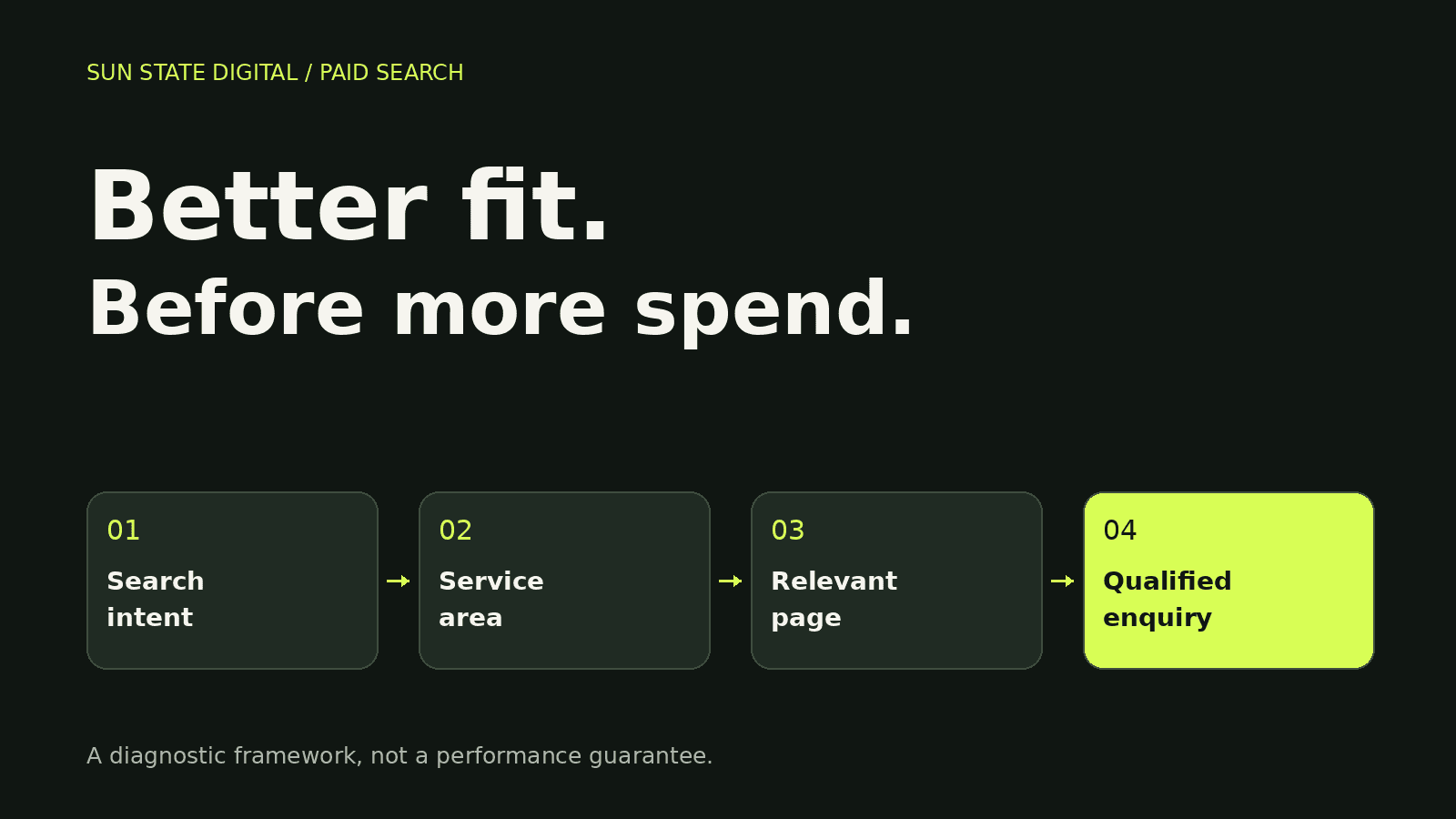
Define what a good enquiry looks like
Write down the work you want, the areas you serve and the requirements that make an enquiry commercially suitable. For a Brisbane service business, that might include project type, scope and realistic timing. Your campaign strategy, local visibility plan, service website, CRM records and marketing reporting should use the same definition. A form submission tells you somebody made contact; it does not establish that the enquiry meets those requirements. [16]
Give the team a small set of reasons for marking an enquiry unsuitable, such as wrong service, outside the service area or seeking employment. Use your CRM workflow to record the reason, automation to route enquiries, response processes to make contact, analytics to review patterns and Google Ads management to act on the evidence. Keep unknown separate from unsuitable: an unanswered call is not proof that the person was a bad lead.
Read the searches behind the clicks
The keyword you selected and the search somebody entered are different things. The search terms report shows reported queries that triggered your ads, while some low-volume queries are withheld for privacy. [1] Compare keyword match types, campaign targeting, conversion data, lead-quality records and commercial outcomes. Add the triggering keyword and relevant performance columns, then review costly irrelevant patterns as well as searches that produced useful enquiries. A missing query does not establish that no spend occurred.
Sort reported terms into relevant, clearly unsuitable and uncertain intent. A hypothetical renovation search for employment differs from someone comparing renovation costs before requesting a quote. Search advertising needs that distinction, supported by matching controls, conversion measurement, landing-page context and sales follow-up. Check the keyword-level performance alongside the queries, and avoid excluding a potentially valuable topic just because one click did not convert. Positive exact match can include the same meaning or intent, rather than only identical wording. [5,20]
Exclude unsuitable demand without blocking buyers
A negative keyword prevents eligible searches from triggering your ads according to its match rules. Negative broad, phrase and exact behave differently from positive matching; synonyms and singular or plural forms may need separate attention. [2] Your negative-keyword decisions should protect legitimate keyword intent, relevant service enquiries, measurable conversions and lead value. Avoid copying a long generic exclusion list without comparing it against the services you actually sell. A word that is irrelevant to one campaign can be important to another.
| Negative type | Blocks | Illustrative rule |
|---|---|---|
| Broad | All specified terms, in any order | renovation jobs |
| Phrase | Specified terms in the same order | “renovation jobs” |
| Exact | Specified terms without additional words | [renovation jobs] |
Choose the scope as carefully as the words. Campaign management can use shared lists for consistently irrelevant themes, while keyword planning preserves valuable demand in other campaigns. Connect changes to lead reporting, CRM classifications and return measurement. Account-level exclusions affect eligible inventory across the account, so use them only for genuinely universal exclusions. A saved shared list must be applied to the intended campaigns. Terms added through the search terms report default to negative exact match; inspect the saved rule. [3,4,14,18]
Check the service area and network
Location targeting includes options concerning physical presence and location interest, and Google notes that inferred location is not perfectly accurate. [7,8] A Brisbane advertising strategy should reflect your real service-area information, clear website content, consistent enquiry records and performance reporting. Compare actual lead locations with the selected settings. Review Search Network partners separately where reporting supports it, since Search can include partner placements. Make changes on evidence, rather than assuming every outside-area enquiry or partner click has the same cause. [6]
Make the ad and page qualify the same customer
The ad should explain the service being offered and the next step honestly. Responsive search ads combine supplied headlines and descriptions, so review how the message holds together. [9] Connect Google Ads copy, service-page design, conversion optimisation, keyword intent and enquiry follow-up. If you deliver complete renovations, the page should make that scope clear. A broad promise can attract enquiries for smaller tasks you do not undertake, even when the person is looking for a legitimate local service.
Send a service-specific click to a page that answers the same need. Explain inclusions, service area, process and relevant proof, then make enquiry steps straightforward on mobile. Your website design, Google Ads strategy, CRO review, tracking implementation and business analytics should support that journey. Quality Score can help diagnose ad relevance and landing-page experience, but Google says the score is not a business KPI or an input in the auction. Treat it as a clue, alongside actual lead quality. [15]
Measure the outcome your business needs
Test the completed action you intend to measure: submit the form, check the confirmation and verify the event. [13] A conversion tracking audit should support your Google Ads goals, analytics reporting, website journey and CRM records. Inspect counting settings too. Counting one conversion per ad interaction for a lead action can avoid counting repeated activity in that action, but it does not identify unique people across every source or action. Reconcile duplicates in your business records. [17]
Inspect which goals each campaign actually uses, not just the names in a dashboard. Primary actions generally inform bidding when their associated goal is selected; secondary actions generally support observation, with an important custom-goal exception. [10,16] Connect campaign optimisation, tracking configuration, measurement strategy, lead qualification and marketing ROI. Page views or button clicks should not quietly stand in for the business outcome. Review affected campaigns before changing goals, since a measurement change can also change what bidding tries to achieve. [19]
Where your systems and permissions support it, connect submitted enquiries to qualified leads or completed work. Enhanced conversions for leads uses first-party lead information and imported offline outcomes for measurement; implementation still needs applicable consent, data handling and platform requirements. [11] Your CRM, automation setup, Google Ads tracking, campaign management and ROI reporting need to agree on stages. Review conversion windows against your actual decision cycle, and allow for reporting lag before declaring recent leads unsuccessful. [12]
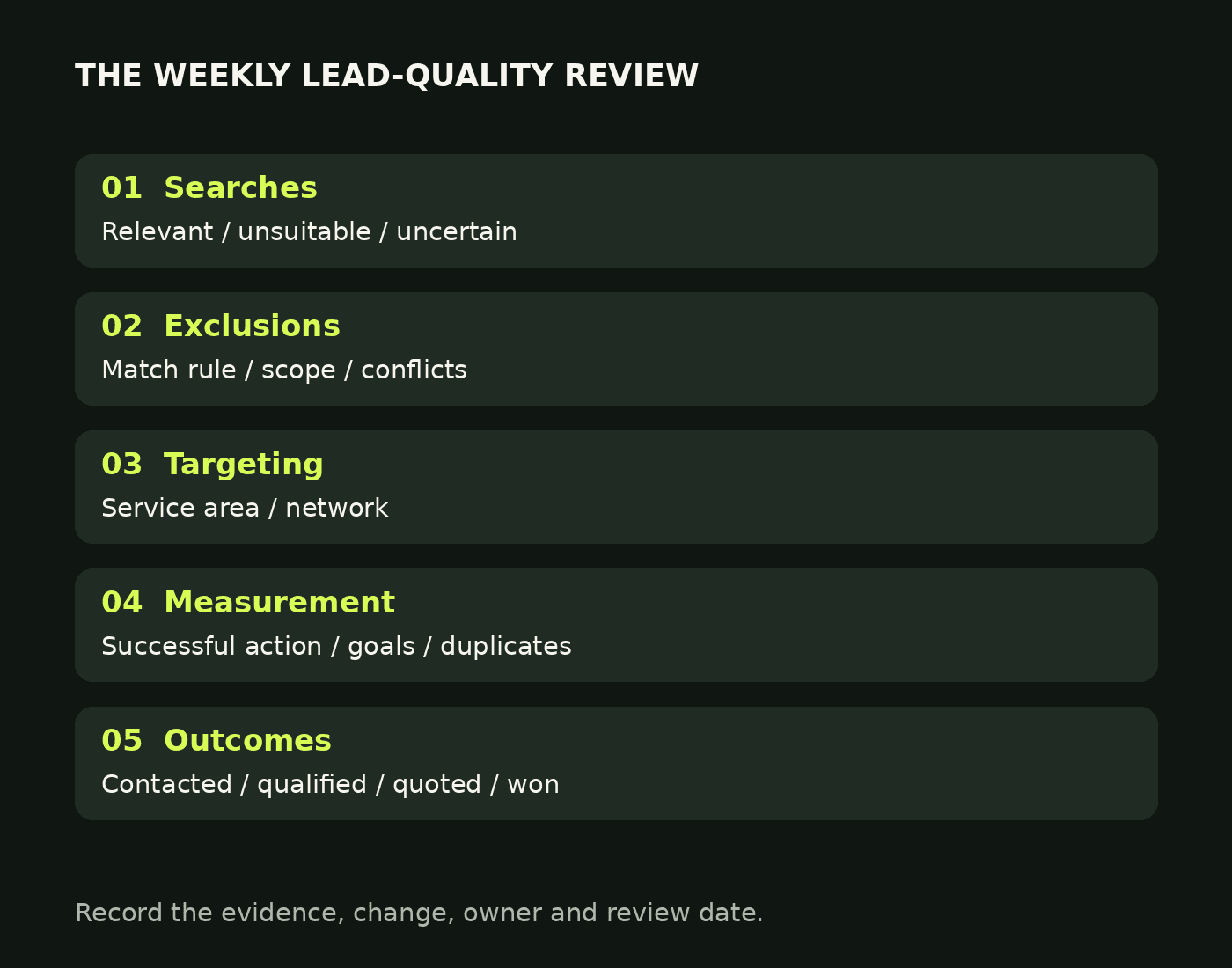
Use a repeatable weekly review
Set a recurring review that records the problem, evidence, change and next review date. Paid-search management should connect keyword analysis, conversion checks, CRM outcomes and commercial reporting. Start with clearly irrelevant spend and broken measurement, then examine uncertain patterns with enough evidence to interpret them. Keep the comparison period and qualification definition consistent. Changing several settings at once can make the outcome harder to explain; improving lead quality is a process, not a promise of an immediate turnaround.
- Search terms: relevant, unsuitable or uncertain.
- Exclusions: match type, scope and positive-keyword conflicts.
- Targeting: service area, location options and network.
- Measurement: successful submissions, goal settings and duplicates.
- Sales outcome: contacted, qualified, quoted and won.
- Change log: evidence, action, owner and review date.
Frequently asked questions
Should I block every search with no conversions?
No. One unconverted search does not prove unsuitable intent. Review keyword matching, conversion accuracy, landing-page relevance, lead follow-up and campaign performance before deciding. Clearly irrelevant services or employment intent can justify an exclusion; uncertain buying research needs more context. Use the actual work your business delivers as the boundary, and inspect the match rule before saving it.
Does exact match only show my exact keyword?
No. Positive exact match can show for searches with the same meaning or intent. [5] Use our match-type guide, search-campaign review, conversion data, lead records and ROI reporting to judge the resulting enquiries. Negative exact match has different behaviour, so a positive keyword and an exclusion with similar wording should not be assumed to follow the same rules.
Can negative keywords remove all poor-quality leads?
No. They address specified search intent, not every reason an enquiry might be unsuitable. Google Ads targeting, service-page clarity, conversion optimisation, CRM qualification and analytics all affect the diagnosis. A relevant search can still produce an enquiry outside your scope, and an unanswered enquiry may remain unqualified. Keep feedback from the people handling calls and quotes connected to campaign decisions.
Should I turn off search partners immediately?
Inspect the available network results and actual enquiry outcomes first. [6] Your campaign review, tracking setup, analytics reports, CRM stages and commercial measures should distinguish volume from useful leads. If partner activity consistently produces unsuitable outcomes, a controlled change may be justified. This guide does not claim that every partner placement is poor quality or that removing it guarantees improvement.
What should I report instead of just lead volume?
Report spend, tracked enquiry actions, qualified enquiries and relevant downstream outcomes with clear definitions. Use ROI measurement, conversion tracking, CRM records, response processes and Google Ads reporting together. Cost per qualified enquiry can be useful when qualification is consistent, while completed-work outcomes help assess the longer journey. State attribution and data limits instead of treating every platform conversion as a unique customer.
Your next step
If your ads are generating activity without the right conversations, book a conversation with Sun State Digital. We can examine Google Ads, conversion tracking, website performance and CRM workflows against the work you want to win. Bring the recent search-term report and your team’s enquiry feedback. That gives us a practical starting point for deciding what to fix, what to preserve and how to measure the next change.
Recommended reading
- Keyword match types explained
- Google Ads conversion tracking
- Conversion rate optimisation
- Marketing ROI tracking
References and sources
- Google Ads Help: About the search terms report. Supports: Search terms and report visibility. Checked 14 October 2026.
- Google Ads Help: About negative keywords. Supports: Negative matching behaviour. Checked 14 October 2026.
- Google Ads Help: Get negative keyword ideas using the search terms report. Supports: Default negative exact rules. Checked 14 October 2026.
- Google Ads Help: About account-level negative keywords. Supports: Account-level exclusion scope. Checked 14 October 2026.
- Google Ads Help: About keyword matching options. Supports: Positive keyword matching. Checked 14 October 2026.
- Google Ads Help: About the Google Search Network. Supports: Search partner inventory and controls. Checked 14 October 2026.
- Google Ads Help: Target ads to geographic locations. Supports: Geographic targeting controls. Checked 14 October 2026.
- Google Ads Help: About targeting geographic locations. Supports: Location inference and limits. Checked 14 October 2026.
- Google Ads Help: About responsive search ads. Supports: Responsive ad combinations. Checked 14 October 2026.
- Google Ads Help: About primary and secondary conversion actions. Supports: Primary/secondary actions and custom goals. Checked 14 October 2026.
- Google Ads Help: About enhanced conversions for leads. Supports: Enhanced conversions for leads. Checked 14 October 2026.
- Google Ads Help: About conversion windows. Supports: Conversion-window settings. Checked 14 October 2026.
- Google Ads Help: Set up your web conversions. Supports: Website conversion setup. Checked 14 October 2026.
- Google Ads Help: About negative keyword lists. Supports: Shared negative keyword lists. Checked 14 October 2026.
- Google Ads Help: About Quality Score for Search campaigns. Supports: Quality Score diagnostics. Checked 14 October 2026.
- Google Ads Help: About conversion goals. Supports: Campaign goal selection. Checked 14 October 2026.
- Google Ads Help: About conversion counting options. Supports: Conversion counting. Checked 14 October 2026.
- Google Ads Help: Set up and apply negative keyword lists to campaigns. Supports: Applying shared exclusions. Checked 14 October 2026.
- Google Ads Help: Updating your conversion goals. Supports: Reviewing affected campaigns before goal changes. Checked 14 October 2026.
- Google Ads Help: Measure Search Network keyword performance. Supports: Keyword-level performance review. Checked 14 October 2026.